Versions
The Versions page lets you snapshot and roll back your configuration. It covers two related mechanisms — Releases (immutable, named snapshots of the whole working set) and Branches (working snapshots you can build up and then promote to production). Both capture events, endpoints, templates, subscriptions, sitemap, and agents.
Requires an active configuration. This section is under active development, so some details may change.
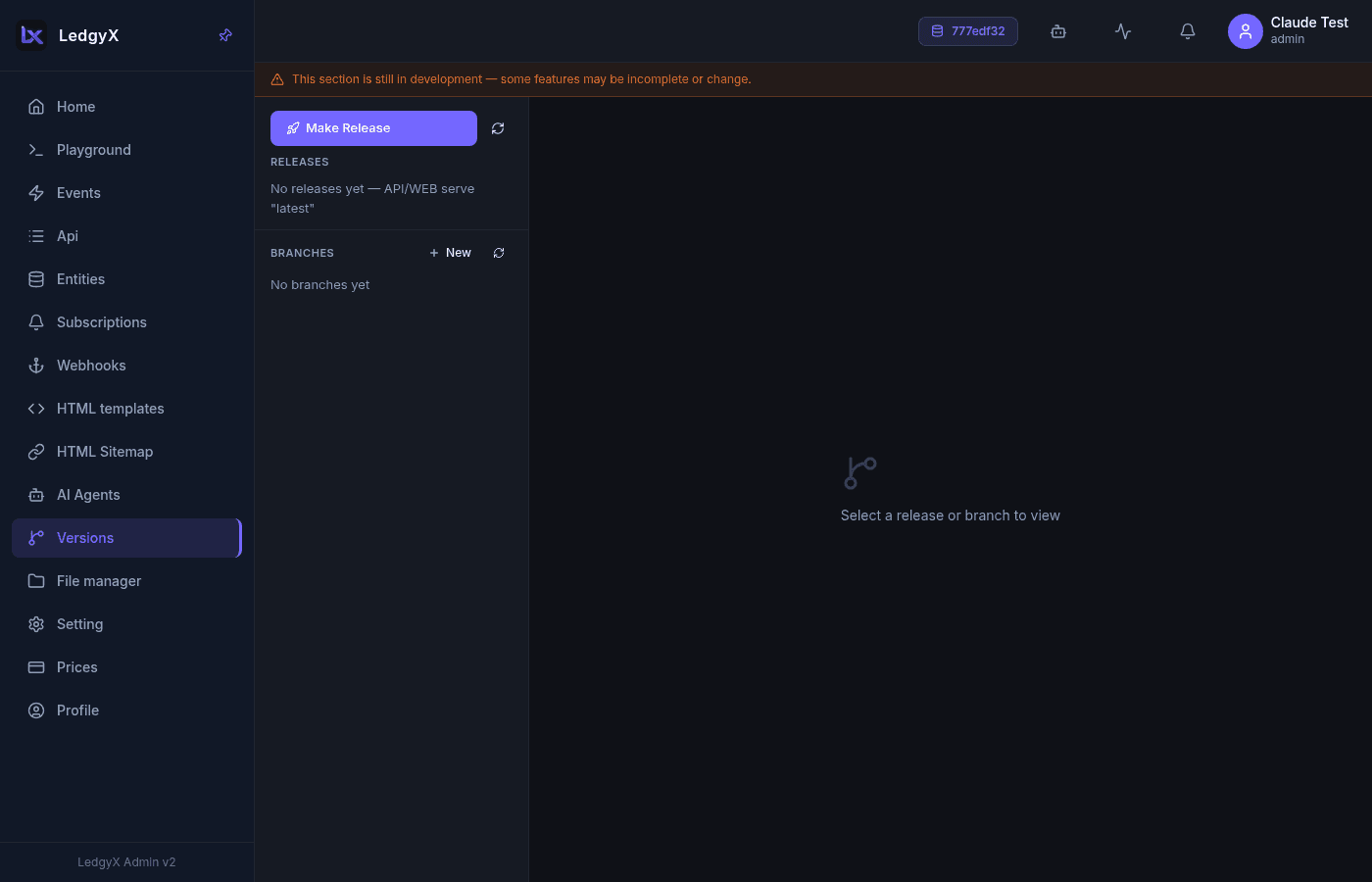
Layout
Two columns: a left list split into Releases (top) and Branches (bottom), and a right detail panel that shows the selected release or branch.
Releases
A release is a frozen, permanent copy of the current working set ("latest") that also becomes the config's default.
- Make Release (rocket icon) freezes the current state as a new release. You can give it a name and description, or leave them blank to auto-name it.
- Each release row shows its name, a ⭐ badge if it is the current default, and the release date. Click a row to open its detail panel, which shows how many objects are pinned and when it was released.
- On any non-default release, Set as default (rollback) repoints the default to that release. Because releases are immutable frozen snapshots, this is a safe rollback — the release itself never changes, even as new edits land in "latest".
- With no releases, the API and web serve "latest".
Branches
A branch is a working snapshot you accumulate changes into before promoting them.
- New (+) creates a branch. Each branch row shows its name, description, an overrides-count badge, and the created date.
- From the Events page you can save an event to a branch instead of straight to production — a snapshot selector appears next to the Save button; picking a branch changes Save to Save to snapshot.
- Select a branch to see its detail panel:
- A diff list — one row per changed object showing production version → snapshot version, expandable to a side-by-side before/after view.
- Promote applies the branch's changes to production (an inline confirm asks first); the snapshot is then archived.
- Delete removes the branch (inline confirm).
Version badge on versioned pages
Pages that participate in versioning (Events, Sitemap, Subscriptions, API Builder) show a version badge (v{N}) for the currently-selected object, and — where applicable — a snapshot selector next to Save.
Related:
- Events — save events to a branch, then promote
- API tree · Subscriptions · Templates