AI Builder
AI Builder is a global chat assistant that can build your project for you conversationally — creating entities, events, API endpoints, and templates from a plain-language description. It is the fastest way to go from an idea to a working configuration.
Opening the panel
Click the AI Builder (robot) button in the header. The panel opens as a 400px column on the right.
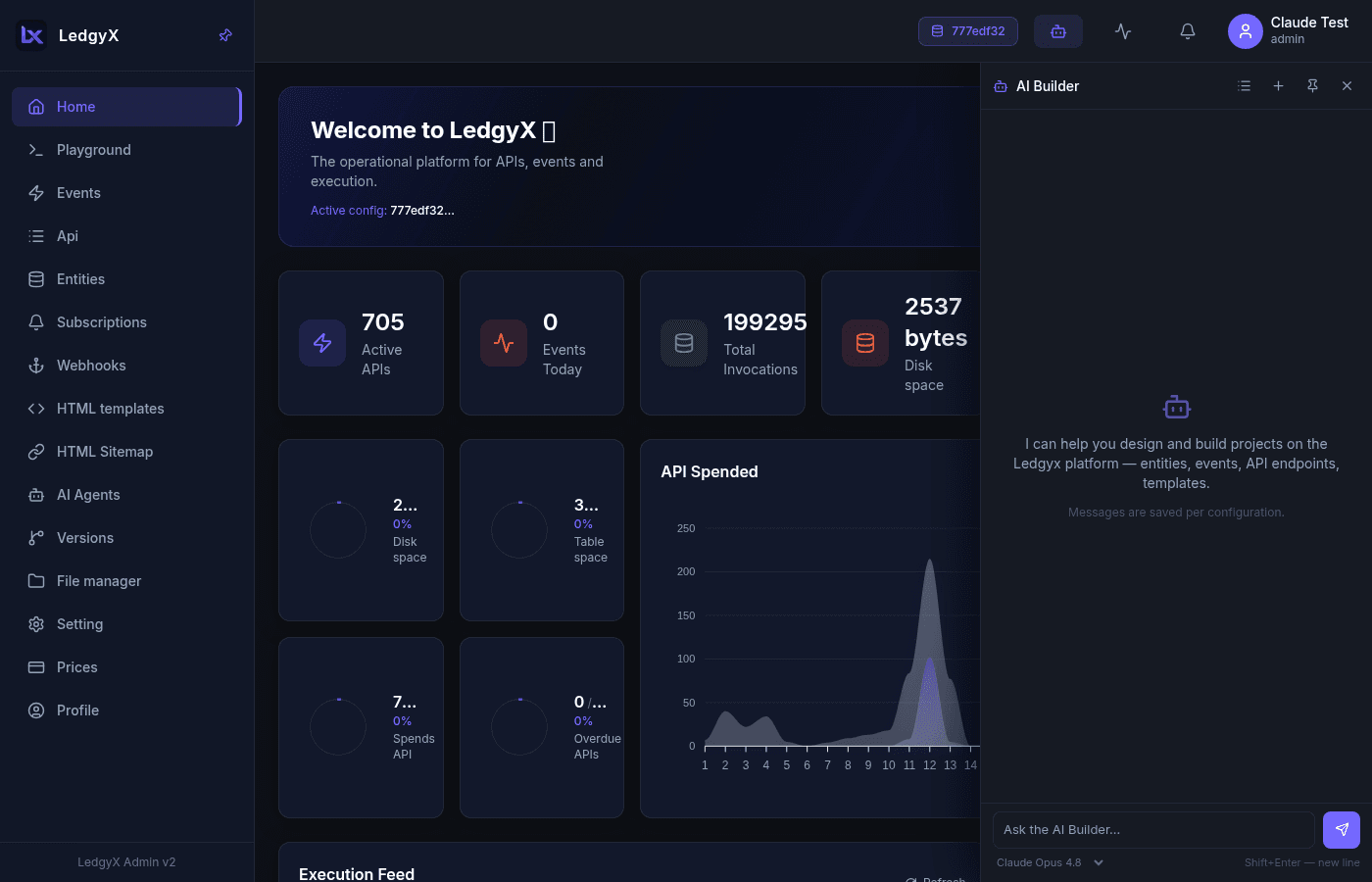
- Pin it (pin icon) to keep it as a permanent side column — the main content shifts to make room. Unpinned, it floats over the content.
- The open/pinned state, chosen model, and active session survive page reloads.
AI Builder works in the context of the active configuration. Without one selected, the panel shows a "Select a configuration" prompt.
Chatting
- Type in the box at the bottom — Enter sends, Shift+Enter inserts a newline.
- The assistant streams its reply. When it uses a tool, a chip appears above the message (e.g. Get Config Structure) with a spinner that turns into ✓ on success or ⚠ on error. Tool errors are not shown as failures to you — the assistant reads them and adapts.
- Use the Stop button to interrupt streaming. The reply is saved on the server even if interrupted, so reloading shows the full conversation.
Sessions
- The header has history (list of past chats), new chat (+), pin, and close controls.
- Chat sessions are scoped to the configuration — switching configs gives you that config's own set of chats.
- Each session's title is auto-generated from its first message; sessions show message count and date, with inline delete.
Models & context
- Pick the model at the bottom of the panel (for example Claude Opus 4.8, Sonnet, or Haiku). The model is fixed for the session once it starts.
- A thin bar under the model selector shows context-window usage; it turns amber, then red, as the conversation approaches the window limit.
What it can build
AI Builder has tools to inspect and modify your configuration — it can create and wire up entities, events, API endpoints, templates, and agents, then help deploy them. Describe what you want ("a REST API for a contacts table with create/list/update/delete") and it assembles the pieces.
Related:
- AI Agents — autonomous agents you design on a canvas
- Playground · Events · Entities