Templates
The HTML templates page is a Mustache/HTML template editor for the platform's built-in web hosting. Templates are stored in the database (not on disk) and rendered when a sitemap route is requested.
Requires an active configuration. Select one on the Settings page first.
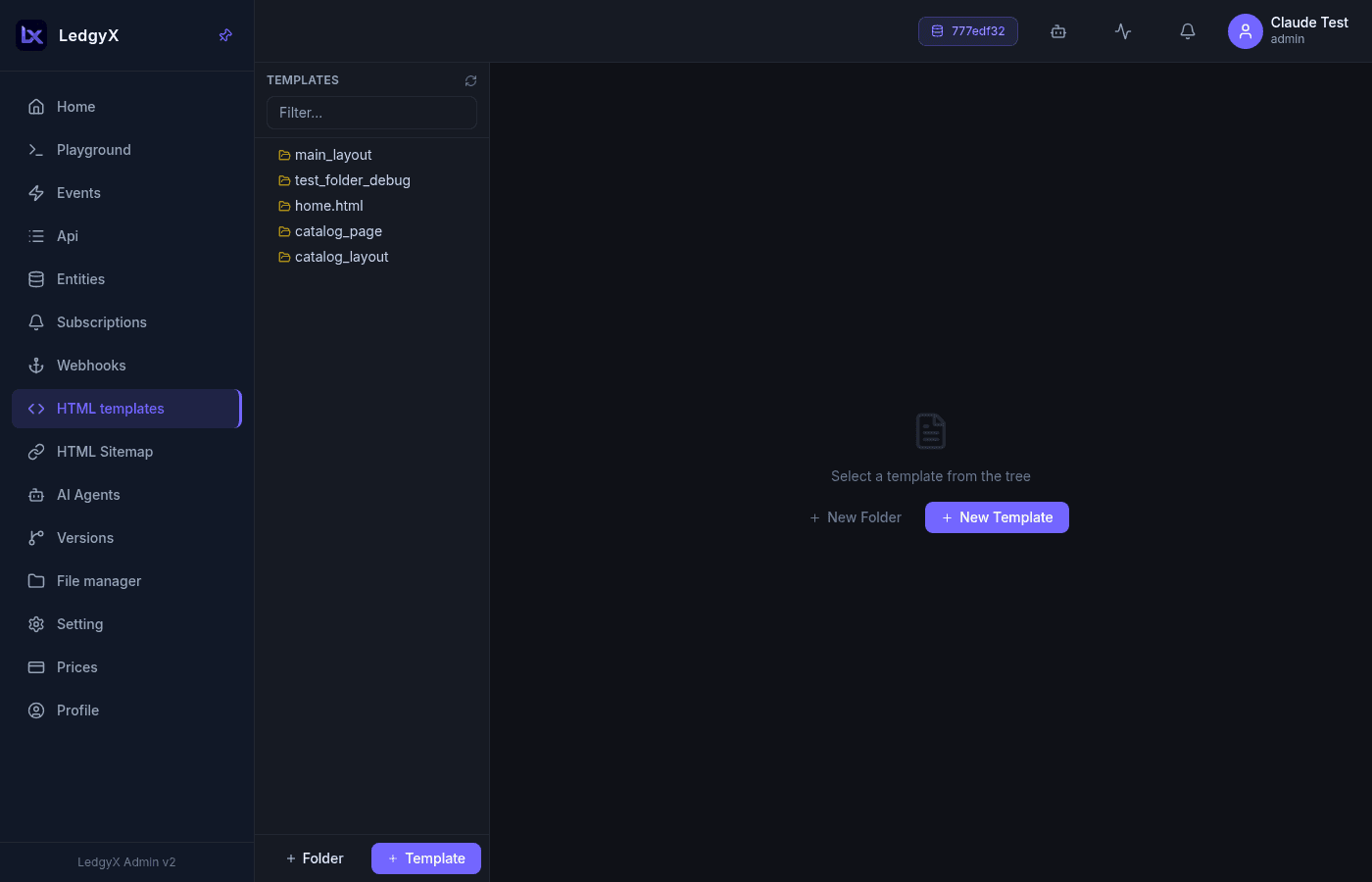
Layout
Two columns: a tree of folders and template files on the left, and an editor on the right. Use New Folder / New Template to create items; select an item to edit it.
Template types
| Type | Meaning |
|---|---|
| Group | A folder — not rendered |
| HTML Template | A Mustache HTML file — a page or a partial |
| Script | A JavaScript file in the template system |
Form fields
- Name
- Type — Group / HTML Template / Script
- Parent Folder — for nesting under a group
- Layout checkbox and Default checkbox (see below)
- A Monaco editor —
htmlfor HTML templates,javascriptfor scripts (hidden for groups)
Templates are saved with a reference derived from their name and parent, so renaming effectively creates a new template.
Mustache syntax
Logic-less Mustache:
| Tag | Purpose |
|---|---|
{{variable}} | HTML-escaped output |
{{{variable}}} | Unescaped HTML output |
{{#section}}…{{/section}} | Conditional block or loop over an array |
{{^section}}…{{/section}} | Inverted block (renders when falsy/empty) |
{{> partial_name}} | Include another template by name |
Layouts
- Layout (
is_layout) marks a template as the outer HTML shell (<html>…<body>…</body></html>). Sitemap routes point at a layout, and the deepest matching route with a layout wins. - Default (
is_default) makes a layout the fallback when a route sets no layout of its own. Only one template per config should be the default.
Typical project structure
layouts/
  main.html      ← is_layout=true, is_default=true — <html>, <head>, nav, footer
pages/
  home.html      ← page partial, included via {{> pages/home}} from the layout
CSS & JS files
Static assets (styles, scripts) are not stored as templates — they live on the tenant's disk and are managed in the File manager. Reference them from a template's <head>:
<link rel="stylesheet" href="/cdn/css/style.css">
<script src="/cdn/js/app.js"></script>
Related:
- Sitemap — route URLs to templates
- File manager — host CSS/JS/media