API
The Api page is where you organise your events into a tree of REST endpoints and try them out. It has two modes, toggled at the top: Builder and API Docs.
Requires an active configuration. Select one on the Settings page first.
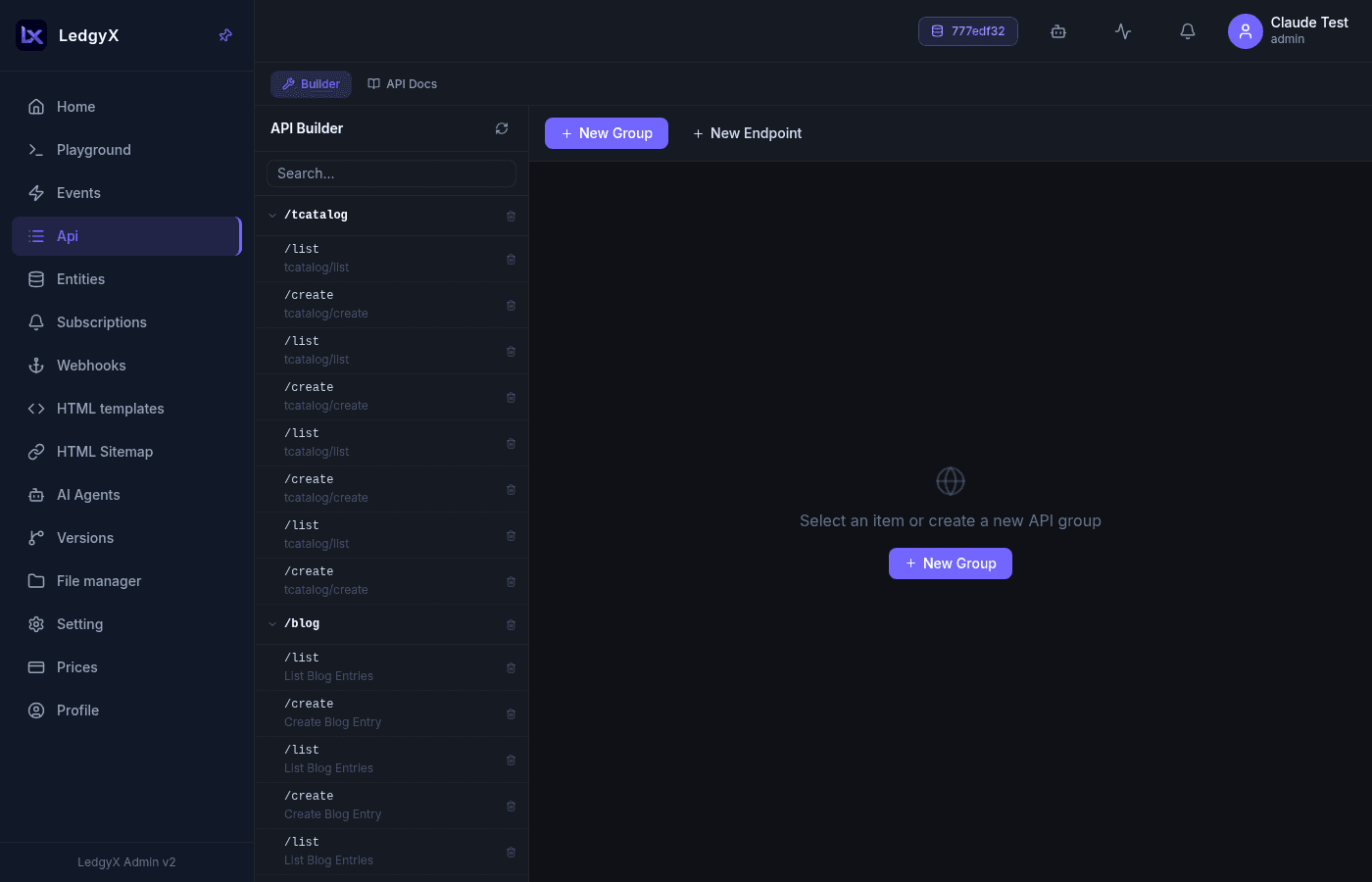
Builder mode
- Left panel — the endpoint tree: groups (folders) containing endpoints. Groups collapse/expand, rows have an inline delete confirm, and a filter box searches the tree.
- Right panel — the form for the selected item:
- Group — name (spaces become dashes) and a description.
- Endpoint — name, parent group, the event it calls, and a description. A URL preview
/group/endpointis shown under the name.
- Toolbar — New Group / New Endpoint / Save / Test (existing endpoints only) / Delete.
Building an endpoint
- New Group — e.g.
common. - Select the group, New Endpoint — name it (e.g.
users) and pick the event that backs it. - Save. The endpoint is now live at
/common/usersand exposes whichever HTTP methods the event implements.
The full walkthrough is in the Quick Start.
API Docs mode
A Swagger-style view of the same tree: groups as collapsible cards, endpoints as rows with coloured method badges (only the verbs the event actually handles), the URL path, and the event name. Expanding a row shows the full URL and any curl examples from the endpoint description.
Testing endpoints
Both modes share a Test panel:
- A Base URL field, defaulting to
https://app.ledgyx.com/rest/v2/{config}(remembered between visits). - Method tabs (active methods only) + the full URL + a Send button.
- Headers — key/value pairs, e.g. an API key for authentication.
- Query params (GET) or a JSON body (POST/PUT/DELETE), with a Format button.
- Response — status badge (coloured by 2xx/4xx/5xx), duration, and the body, with Copy.
Test requests are proxied by the platform, so there are no browser CORS issues. Calling an endpoint from outside still needs an API key — create one on the Settings page.
Related:
- Events — the handlers endpoints call
- Settings — API keys for external access
- Quick Start