Playground
The Playground is an interactive SQL console for running Ineron SQL against your configuration — the fastest way to try a query before wiring it into an event.
Requires an active configuration. Select one on the Settings page first.
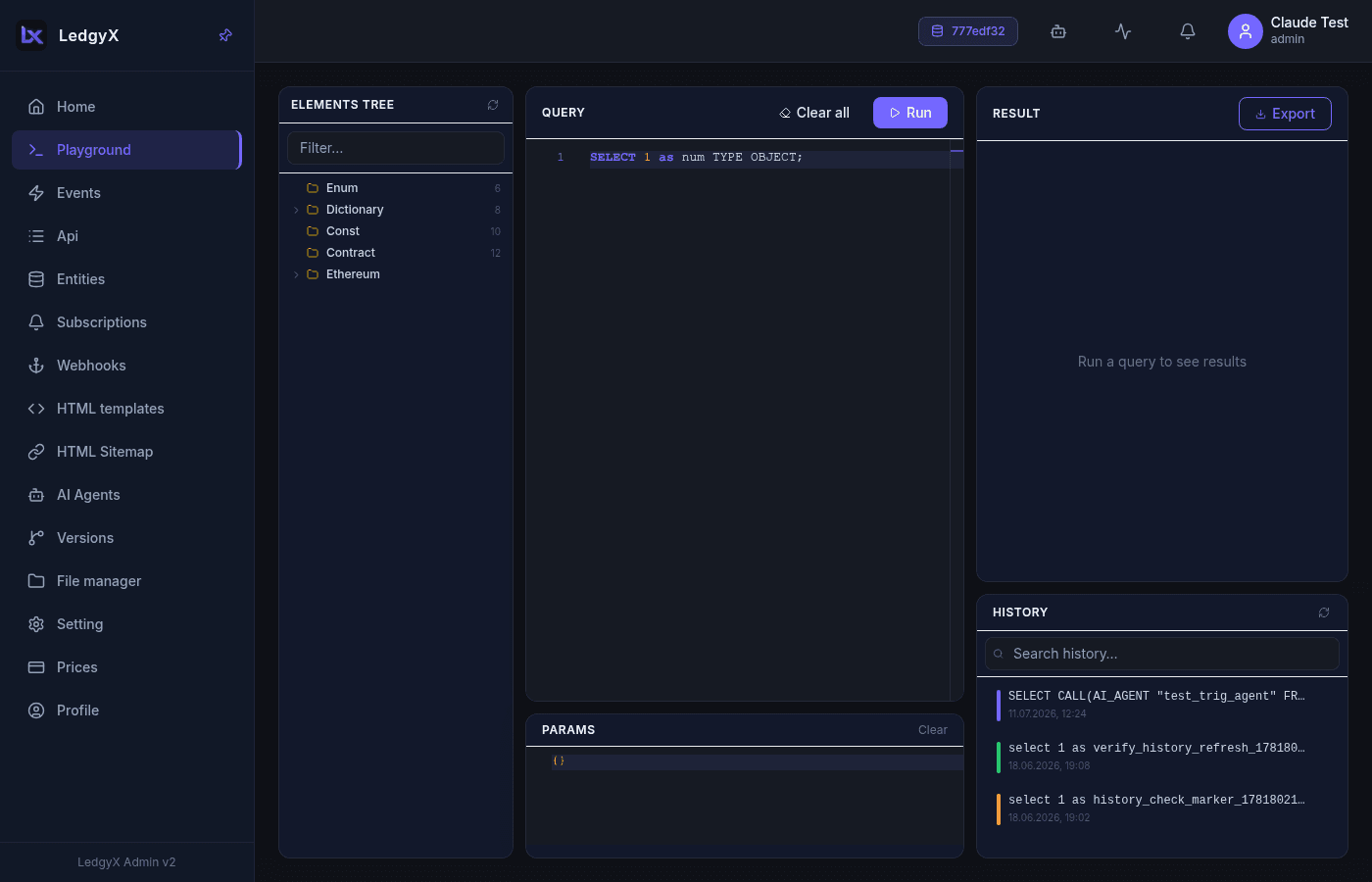
Layout
Three columns:
- Entity tree (left) — the objects in your config (Dictionaries, Enums, Contracts, blockchain sources, …). Filter at the top; right-click a node for a context menu; drag an entity name into the editor.
- Editor (middle) — a SQL editor with a JSON params editor below it for the
&variablevalues your query uses. - Results & history (right) — the result (rendered as a table for arrays, raw text otherwise) with an Export button, and a searchable history list below.
Running a query
Every Ineron query ends with a TYPE declaration. The default query is:
SELECT 1 TYPE OBJECT;Enter your SQL, supply any parameters as JSON in the params editor, and run. For example:
SELECT usr.id, usr.name
FROM Dictionary.users AS usr
WHERE usr.id = &id
LIMIT 100 TYPE LIST;
{ "id": 1 }Your SQL and params are remembered across reloads; the Clear All (eraser) button resets both editors and the result.
Result detail
Click a row in a table result to open a detail view with type-coloured fields (numbers, booleans, nulls, and nested objects render differently) and ‹ prev / next › navigation across all rows.
History
Every run is saved to the history list. Search it, scroll back through past queries, and reuse them — the same history is available from the Events editor via its From history picker, so a query proven in the Playground can be dropped straight into an event handler.
Related:
- SQL command overview — the full Ineron SQL language
- Events — turn a query into an HTTP handler
- Entities — define the objects you query